
WhatsApp
Setup Guide Updated December 21, 2024 2 min read

How to Set Up IPTV on Your Devices: A Complete Guide

Author
Editorial Team
Published
December 21, 2024
Reading Time
2 min read

Follow our step-by-step guide to easily set up IPTV on your devices. Whether it's a Smart TV, Android, or Firestick, IPTVSun provides clear instructions for seamless installation.

TL;DR: This article helps you understand the topic quickly, then points you to the most useful next pages on the site for setup help, plan comparison, and server checks.
How to Set Up IPTV on Your Devices: A Complete Guide guide image

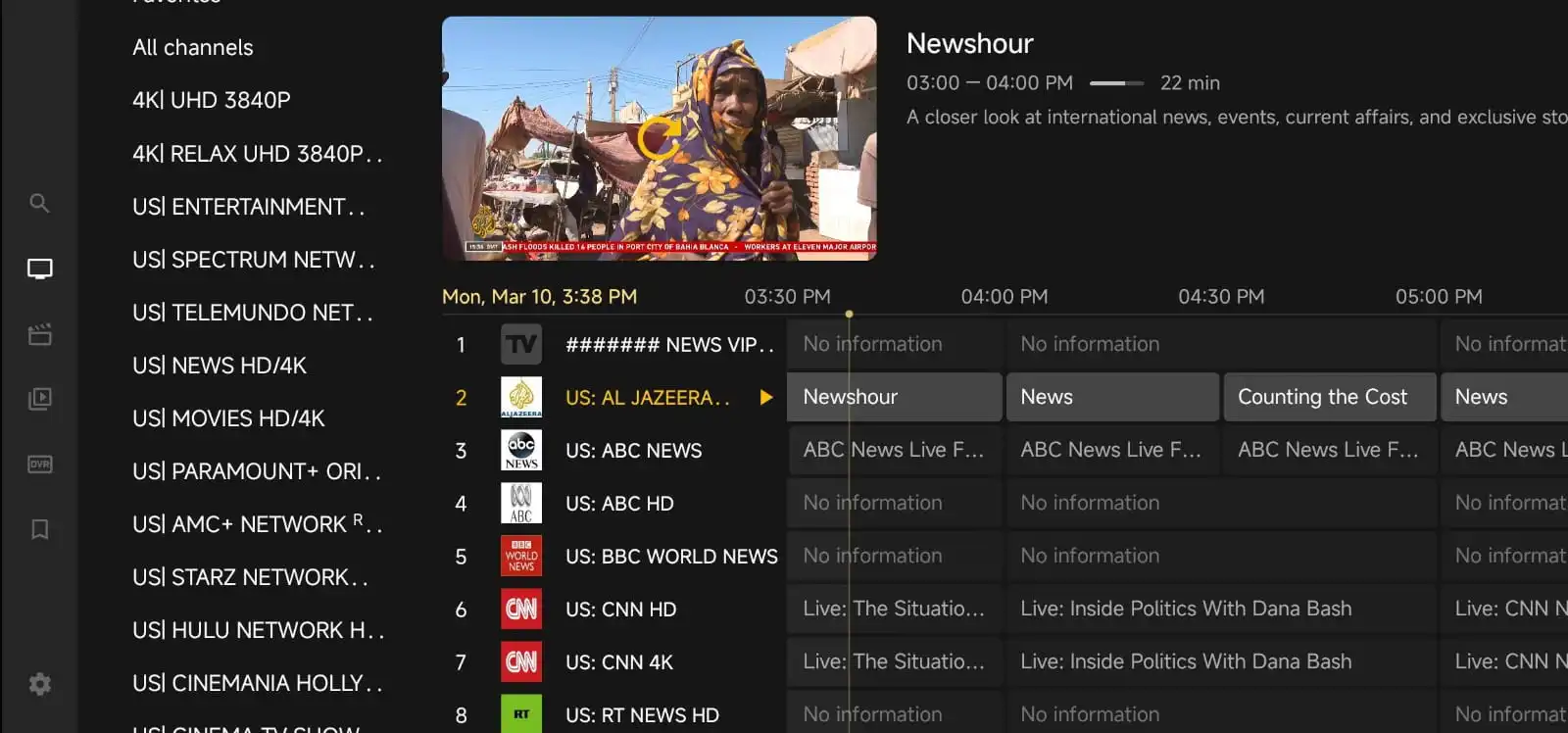
Setting up IPTV on your device is easier than ever. Whether you have a Smart TV, Android device, or Firestick, IPTVSun offers easy-to-follow setup guides for all major devices. In this article, we’ll walk you through the process to get IPTV up and running on your device, so you can start watching your favorite channels right away.

Step-by-Step Setup for Smart TVs

  1. Install the IPTV App
    Most Smart TVs support popular IPTV apps. Download the IPTV app from your TV’s app store (e.g., Google Play Store or Samsung Apps).

  2. Enter Your IPTV Subscription Information
    Once the app is installed, open it and enter the credentials you received from IPTVSun. This typically includes a username, password, and server URL.

  3. Start Watching
    After entering your credentials, you’ll have immediate access to your chosen IPTV content. You can browse channels, movies, and on-demand shows right from your Smart TV’s interface.

Setting Up IPTV on Android and Firestick

  1. Install the IPTV App
    For Android devices or Firesticks, download the IPTV app from the Google Play Store or Amazon Appstore.

  2. Configure the App
    Like with the Smart TV, enter your IPTVSun account information into the app to start watching. Ensure that your internet connection is stable for smooth streaming.

  3. Start Enjoying
    After logging in, explore all of the available content on IPTVSun, including sports, news, and movies.

Additional Tips for Optimal Streaming

  • Ensure that your internet speed is fast enough for HD streaming.
  • Use a stable Wi-Fi connection to avoid buffering.
  • Regularly update your IPTV app for new features and improvements.

Conclusion

Setting up IPTV on your device is quick and straightforward. With IPTVSun, you can enjoy seamless streaming on Smart TVs, Android devices, and Firesticks. Don’t waste time with complicated installations – we provide easy-to-follow guides and dedicated customer support to help you get started. Start setting up today!
Useful Next Steps

After reading this article, continue with the pages that help most visitors make a decision or finish their setup.

Related Guides

View all blog posts
June 24, 2025

Best IPTV UK in 2025

Are you looking for the best IPTV service in the UK in 2025? Whether you want to watch live Premier League football, th...

Article Snapshot

  • Topic Setup Guide
  • Author Editorial Team
  • Updated December 21, 2024
  • Reading Time 2 min

Need A Plan After Reading?

Compare the current IPTV offers, then pick the server and plan that fits your devices and viewing time.

Check Our Pricing

How its work?

How does our best IPTV service works? .

01

Place your order

Place your order in pricing table by choosing your preferred subscription period.
02

Get your account

This process can take 5 to 15 minutes.Please check your inbox and your spam folder.To speed up the process, please contact us via Whatsapp.
03

Enjoy your IPTV service!

Enjoy all channels, films, and series now. Immerse yourself in endless entertainment with our IPTV service .

Discover our competitive plans

We also offer you the exclusive Premium 8K PLAYER Application for a lifetime, completely free

8K Tivimate app interface preview
Make the Smart Choice: 2 Free Months with a Yearly Plan!
+1 Months Free

6 Months

1 Device

20% OFF £29.64 £28.16
Pay with crypto and save £2.25

What's included?

  • 50,000+ TV Channels
  • 200,000+ Movies, Series
  • Premium App For Free
  • 100% No Buffering / No Freezing
  • Daily Updates for Channels, Movies, and TV Shows
  • Instant Activation!
  • All 24/7 Channels
  • 8K/4K/FHD/HD Quality
  • All PPV and Premium Channels
  • TV Guide (EPG)
  • 99.9% Performance
  • Catch-up + Replay
  • Compatible with All Devices
  • 24/7 Customer Support
ORDER NOW More Details 30 Days money back guarantee
+2 Months Free

12 Months

1 Device

50% OFF £44.84 £68.16
Pay with crypto and save £3.41

What's included?

  • 50,000+ TV Channels
  • 200,000+ Movies, Series
  • Premium App For Free
  • 100% No Buffering / No Freezing
  • Daily Updates for Channels, Movies, and TV Shows
  • Instant Activation!
  • All 24/7 Channels
  • 8K/4K/FHD/HD Quality
  • All PPV and Premium Channels
  • TV Guide (EPG)
  • 99.9% Performance
  • Catch-up + Replay
  • Compatible with All Devices
  • 24/7 Customer Support
ORDER NOW More Details 30 Days money back guarantee
+2 Months Free

24 Months

1 Device

50% OFF £75.24 £114.36
Pay with crypto and save £5.72

What's included?

  • 50,000+ TV Channels
  • 200,000+ Movies, Series
  • Premium App For Free
  • 100% No Buffering / No Freezing
  • Daily Updates for Channels, Movies, and TV Shows
  • Instant Activation!
  • All 24/7 Channels
  • 8K/4K/FHD/HD Quality
  • All PPV and Premium Channels
  • TV Guide (EPG)
  • 99.9% Performance
  • Catch-up + Replay
  • Compatible with All Devices
  • 24/7 Customer Support
ORDER NOW More Details 30 Days money back guarantee

Customize

1 Device • 6 Months

£29.64
Pay with crypto and save £2.25

What's included?

  • 50,000+ TV Channels
  • 200,000+ Movies, Series
  • Premium App For Free
  • 100% No Buffering / No Freezing
  • Daily Updates for Channels, Movies, and TV Shows
  • Instant Activation!
  • All 24/7 Channels
  • 8K/4K/FHD/HD Quality
  • All PPV and Premium Channels
  • TV Guide (EPG)
  • 99.9% Performance
  • Catch-up + Replay
  • Compatible with All Devices
  • 24/7 Customer Support
ORDER NOW 30 Days money back guarantee